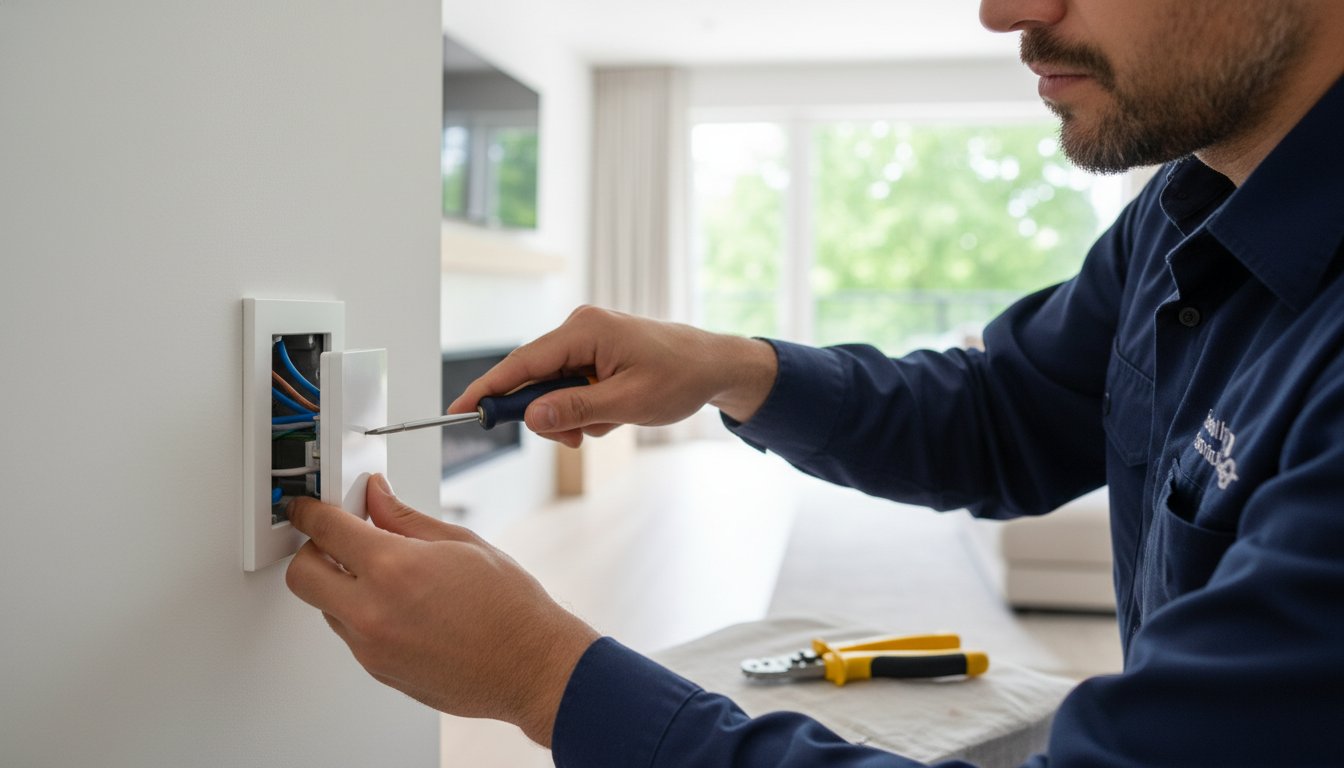
What if the biggest obstacle to your dream smart home isn't the software, but a wire that hasn't been touched since the 1980s? Many homeowners feel a mix of excitement and anxiety when they begin a smart switch installation, worried that a confusing wiring diagram might lead to a dangerous mistake. You're right to be cautious. It's common to worry about causing an electrical fire or finding out your expensive new switches aren't compatible with your current LED bulbs. We understand that you want a modern, convenient home without the stress of technical failures or flickering lights.
This guide will help you master the complexities of modern lighting, from identifying neutral wires to ensuring your upgrades meet the latest local Illinois safety codes. You'll gain the professional insight needed to build a functional system that stays connected. We'll walk through the 2026 National Electrical Code requirements and explain how the Matter 1.5 protocol ensures your devices work together perfectly. By the end, you'll have the confidence to move forward with a setup that's safe, stable, and built to last.
Key Takeaways
- Navigate the "neutral wire" hurdle common in local homes to ensure your modern switches get the constant power they need to function.
- Match your switch choice to your home's specific architecture, whether you are dealing with simple single-pole circuits or complex 4-way configurations.
- Learn the step-by-step process for a safe smart switch installation, including how to properly label wires and manage crowded electrical boxes.
- Verify that your upgrades meet current Illinois safety codes to protect your family and your property investment from electrical hazards.
- Discover how pairing your new lighting with surge protection prevents costly damage to sensitive electronics during power fluctuations.
Understanding Smart Switch Technology and Wiring Compatibility
A smart switch replaces your traditional wall toggle to give you remote, voice, or automated control over your lighting. While a standard switch simply breaks the circuit, a smart switch is a sophisticated piece of hardware that remains "live" even when the lights are off. This allows you to dim the kitchen lights from your phone or set a schedule for your porch lights while you are away. For those new to Understanding Smart Switch Technology, it's helpful to know that these devices control the power at the source rather than at the bulb. This means you don't have to worry about guests turning off a lamp and "killing" your smart connectivity.
In 2026, the demand for a stable, grounded electrical foundation is higher than ever. With the industry wide adoption of Matter 1.5 and Thread 1.4 protocols, your home's wiring must be up to the task of supporting constant data transmission. A successful smart switch installation starts with a look behind the wall plate to see what your home's original builders left behind. We want to ensure your modern upgrades are built on a foundation of safety and reliability.
The Role of the Neutral Wire in Smart Lighting
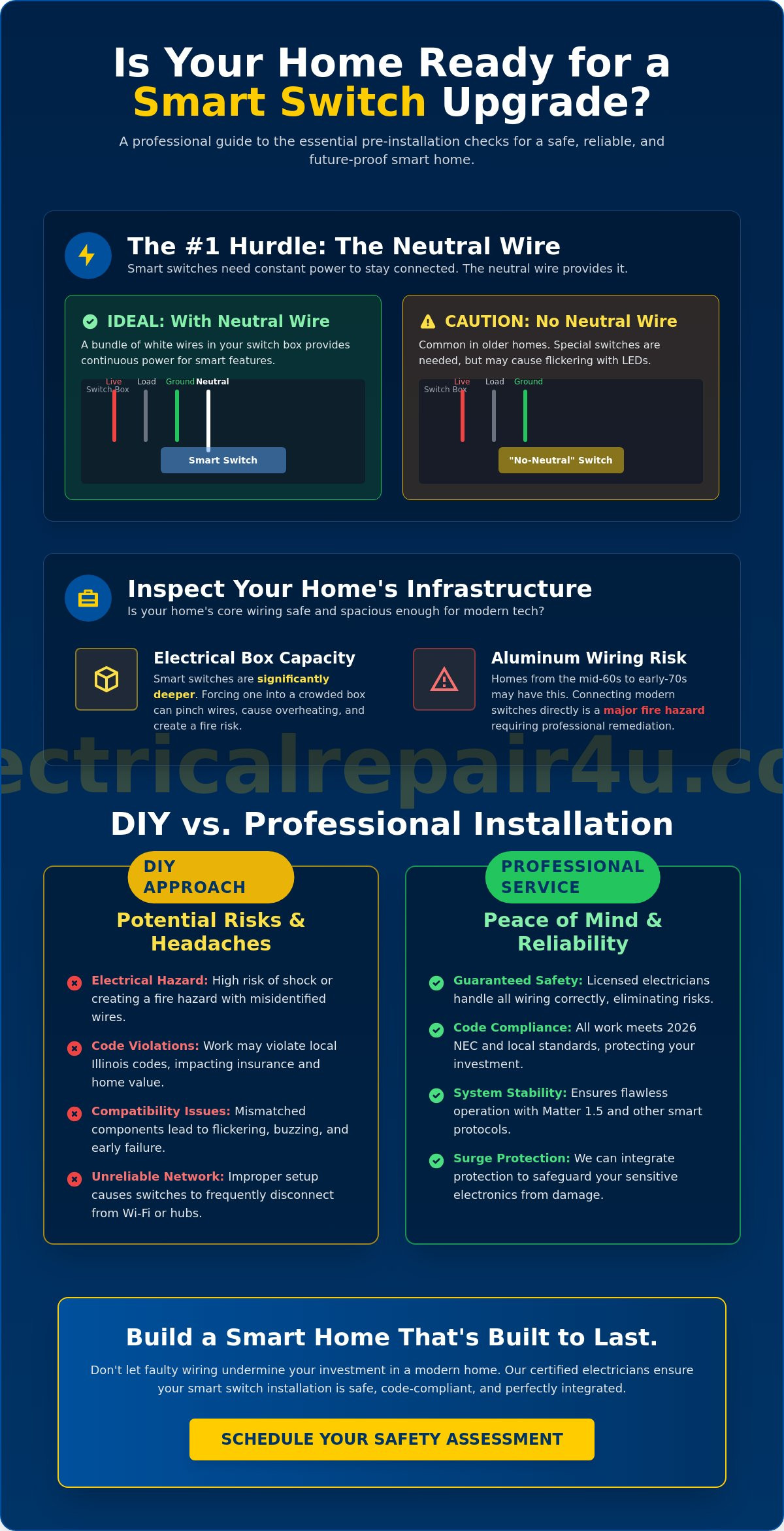
The most common roadblock for homeowners in Lombard and Oak Park is the missing neutral wire. Because many older homes were wired for simple on/off functionality, the neutral wire often bypasses the switch box entirely. Smart switches are small computers that require this wire to maintain a continuous loop of power so they can stay connected to your Wi-Fi or hub. You can usually identify a neutral wire as a white wire, or a bundle of white wires, tucked into the back of the electrical box. If your home lacks this, you aren't out of luck. Some brands offer "no-neutral" dimmers that draw a tiny amount of power through the bulb itself. However, these require specific LED compatibility to prevent the flickering or "ghosting" that can occur with modern bulbs.
Assessing Your Current Electrical Box Capacity
Before you begin your smart switch installation, look at the physical space inside your wall. Smart switches are significantly deeper than traditional ones. In older properties, electrical boxes can become a "rat's nest" of wires that leave little room for bulky smart modules. Forcing a switch into a crowded box can lead to pinched wires or overheating. It's a common issue in historic neighborhoods where boxes were never designed for high-tech components.
Safety is our top priority, so we must mention aluminum wiring. If your home was built or renovated between the mid-1960s and early 1970s, you might have aluminum instead of copper. Connecting a modern smart switch directly to aluminum is a major fire risk. You also need to ensure your current breaker box has the capacity for the added load of a comprehensive smart home system. If your breakers are already tripping under standard use, it's time to look at your home's core infrastructure before adding new technology. We are here to help you determine if your system is ready for the future.
Choosing the Right Smart Switch for Your Home’s Architecture
Picking a switch isn't just about the color of the plastic; it's about how the device communicates with your home's infrastructure. In larger DuPage County homes, the distance between your router and your switches can lead to frustrating connectivity drops. We want you to feel confident that when you tap your phone, the lights respond instantly. Achieving that level of reliability requires matching the right communication protocol to your specific floor plan. By selecting hardware that fits your home's "bones," you prevent the common headache of devices that constantly fall offline.
A successful smart switch installation also depends on matching the hardware to your existing electrical circuits. You'll need to identify if you are working with a single-pole, 3-way, or 4-way configuration. A single-pole switch controls a light from one wall location, while 3-way and 4-way setups allow you to toggle lights from multiple entries, such as the top and bottom of a staircase. Professional-grade switches often outperform the budget models found in big-box stores because they feature better internal components that handle these complex wiring paths without overheating or failing under load.
Deciding whether to tackle this yourself involves weighing the complexity of your home's wiring against your comfort level with electricity. You might find it helpful to read more about DIY vs. Professional Smart Switch Installation to see which path fits your project best. If you're looking for a seamless upgrade, our team provides expert lighting solutions tailored to your home's unique layout.
Wi-Fi vs. Hub-Based Smart Switches
Wi-Fi switches are popular because they don't require extra hardware to set up. However, if you plan to install dozens of switches, they can quickly congest your home network. Hub-based systems using Zigbee or Z-Wave are often more reliable for whole-house automation because they create a mesh network that doesn't rely solely on your router. As of 2026, the Matter 1.5 protocol and Thread 1.4 certification are the standards you should look for to ensure your devices remain compatible with different brands for years to come.
Aesthetic and Functional Considerations
Your new technology should enhance your decor, not detract from it. You can choose between modern Decora styles or classic toggles to match your existing plates. For kitchen and basement remodels, consider scene controllers that allow you to program multiple lighting "moods" into a single button. Always look for switches with a physical "air-gap" feature. This small pull-out tab completely cuts power to the fixture, providing an extra layer of safety when you need to change a light bulb. This attention to detail ensures your smart switch installation provides both beauty and peace of mind.
DIY vs. Professional Smart Switch Installation: Evaluating the Risks
Opening a wall plate shouldn't feel like a high-stakes gamble. While many online tutorials suggest that anyone with a screwdriver can handle a smart switch installation in minutes, the reality inside your walls is often more complex. In historic areas like Elmhurst or Oak Park, opening a multi-gang box often reveals a "rat's nest" of tangled wires. These crowded spaces make it difficult to identify which wire goes where without the right diagnostic tools. Forcing a bulky smart module into a cramped box isn't just frustrating; it's a safety hazard that can lead to pinched wires and short circuits.
Local code requirements in many Illinois municipalities are strict for a reason. Some areas require a licensed professional for any work that involves rewiring or modifying your home's core electrical system. Beyond the legalities, there are significant insurance implications to consider. If you live in Naperville, for example, unpermitted DIY electrical work could potentially affect your homeowner's insurance coverage. If an electrical fire occurs and investigators find the cause was an improper smart switch installation, your claim might be denied. We want to help you avoid these costly mistakes by ensuring your upgrades are fully code-compliant from day one.
Signs You Should Call a Licensed Electrician
Sometimes, the safest choice is to step back and call in an expert. If you pull out a switch and find "cloth-covered" wiring, you are dealing with aging insulation that can crumble at the slightest touch. This is a common discovery in older Illinois homes and requires professional handling to prevent exposed live wires. You should also pause if you find a junction box with no ground wire or if you are staring at a complex 3-way or 4-way setup. Most importantly, if you ever experience sparking, burning smells, or switch plates that feel warm to the touch during your testing, shut off the breaker immediately and seek help.
The Value of a Professional Installation
Choosing professional assistance turns a stressful technical chore into a seamless home improvement. A licensed pro ensures that every wire connection is torqued to specific code standards. This precision is vital for preventing arc faults, which are a leading cause of residential fires. It's also the perfect time to verify that your electrical safety inspection is up to date. You deserve the peace of mind that comes from knowing the best electrician in Warrenville handled the high-voltage work. We take pride in our craft, ensuring your new lighting system is stable, safe, and ready to serve your family for years.
Step-by-Step Guide to Installing a Smart Light Switch
You have chosen your hardware and verified your home is ready for an upgrade. Now it's time to begin the physical smart switch installation. This process requires patience and a strict adherence to safety protocols to ensure your new system is both functional and secure. We want you to feel completely comfortable as you move through these steps, knowing that a methodical approach prevents the anxiety of a technical failure. Before you touch a single screw, head to your breaker panel and shut off the power to the specific circuit you'll be working on. Never assume the power is off just because the lights aren't shining.
Tools and Supplies You’ll Need
Having the right tools on hand makes the job go smoothly and safely. You'll need a few essentials to handle the high-voltage components with confidence:
- Non-contact voltage tester: This is the most important tool in your kit. Use it to verify that no electricity is flowing through the wires before you begin.
- Wire strippers and needle-nose pliers: These help you prepare clean connections and manage wires in tight spaces.
- Insulated screwdrivers: These provide an extra layer of protection while you work.
- Electrical tape and wire labels: Use these to mark your wires as you disconnect the old switch. This simple step prevents confusion later.
The Wiring Process: Line, Load, and Neutral
Once you have confirmed the power is off, remove the old switch and carefully pull the wires out of the box. You must identify the 'Line' wire, which is the one that brings constant power from the breaker. The 'Load' wire is the one that carries power from the switch to your light fixture. In many setups, these are both black, which is why labeling them before removal is vital for a successful smart switch installation. If you are unsure, we can help you with professional outlet and switch replacement to ensure everything is connected perfectly.
Next, locate your neutral wire. As we discussed earlier, this white wire is what completes the circuit for the switch's internal computer, allowing it to stay "awake" even when the lights are off. Securely connect the smart switch's neutral lead to the neutral bundle in the box using a wire nut or a lever connector. Finally, ensure the green or bare copper ground wire is firmly attached to the grounding screw on the switch or the metal box. This provides a safe path for electricity in the event of a fault.
Carefully fold the wires back into the box. Managing this bulk is a common challenge; you must avoid pinching the insulation against the side of the box or the switch itself. Once the switch is mounted and the wall plate is on, restore power at the breaker. Test the physical toggle first to ensure the light turns on and off. Once the manual control is verified, you can proceed to sync the device with your mobile app and enjoy your new automated lighting.
Integrating Smart Switches with Your Home’s Electrical System
Completing a smart switch installation is a significant milestone in modernizing your property. However, your new technology doesn't live in a vacuum. It's now a permanent part of your home's complex electrical grid. Because these switches contain delicate microchips and sensitive antennas, they are far more vulnerable to power fluctuations than the old mechanical toggles they replaced. We want to ensure your investment remains protected so you can enjoy the convenience of automated lighting without the fear of a sudden technical failure.
A stable system requires more than just correct wiring; it needs a clean power supply. Minor grid fluctuations or nearby lightning strikes can easily fry the internal components of a smart device. While you might use plug-in strips for your computer, those won't protect hardwired wall switches. This is why we highly recommend a whole house surge protector installation. By stopping surges at the main breaker panel, you provide a shield for every smart switch, outlet, and appliance in your home simultaneously.
Surge Protection for Smart Homes
Modern smart switches are essentially tiny computers mounted inside your walls. Even small, unnoticeable "dirty power" spikes can degrade these microchips over time, leading to connectivity drops or total hardware failure. Protecting your entire smart lighting array at the panel is a cost-effective way to prevent the headache of replacing multiple expensive switches after a single storm. It's about building a foundation of longevity and stability for your home's digital infrastructure.
Common Post-Installation Troubleshooting
Even with a perfect smart switch installation, you might encounter minor quirks like "ghosting." This happens when your LED bulbs stay dimly lit or flicker even when the switch is technically off. You can often resolve this by adjusting the low-end trim settings within your switch's mobile app to match the specific power requirements of your bulbs. If you experience connectivity drops in a multi-story Aurora home, try optimizing your hub placement to ensure the signal can penetrate thick floors and walls.
Future-proofing your home also means looking at how your systems work together during an emergency. Many modern smart platforms allow you to link your lighting to your safety sensors. Ensuring your switches are compatible with a hardwired smoke detector installation can save lives by automatically turning on all exit lights the moment an alarm sounds. This level of integration provides the ultimate emotional reassurance, turning your smart home into a proactive partner in your family's safety. We are proud to help you build a system that is as dependable as it is advanced.
Secure Your Modern Home with Professional Expertise
Upgrading your home's lighting is a powerful way to enhance your daily comfort and security. By now, you understand how to navigate the neutral wire hurdle and why choosing Matter-certified hardware is essential for a stable system. You also know that a successful smart switch installation relies on a healthy electrical foundation, including surge protection to keep those sensitive microchips safe. These modern upgrades shouldn't be a source of stress; they should be a source of pride for your household.
If the wiring in your older Illinois home feels like a puzzle, don't feel you have to solve it alone. We've spent over 40 years serving as a stable pillar of this community, bringing a safety-first approach to every project. Our team of licensed and insured professionals is ready to handle the technical heavy lifting so you can enjoy a flicker-free, code-compliant home. Schedule your professional smart switch installation with Electrical Repair 4U today! We are here to ensure your transition to a modern smart home is smooth, safe, and built to last.
Frequently Asked Questions
Do I really need a neutral wire for smart switch installation?
Most standard smart switches require a neutral wire to provide continuous power for their internal wireless radios. You can usually find this by looking for a bundle of white wires tucked in the back of your electrical box. If your home was built before the mid-1980s, you might lack this wire. In those cases, you'll need to select specific "no-neutral" switch models or consider professional rewiring to support modern technology.
Can I install a smart switch on a 3-way circuit myself?
You can install a smart switch on a 3-way circuit if you feel confident identifying traveler wires and following complex diagrams. These setups are much more difficult than single-pole switches because they involve multiple locations controlling one light. If the wiring in your wall doesn't match the manufacturer's guide exactly, it's safer to call a pro. Incorrect wiring on these circuits often leads to short circuits or non-functional toggles.
Why is my smart switch flickering after I installed it?
Flickering usually stems from an incompatibility between your smart switch and your LED bulbs. Many smart switches require a minimum electrical load to operate smoothly. If your high-efficiency bulbs draw too little power, the switch may "pulse," creating a strobe effect. You can often resolve this by installing a load resistor or by swapping your current bulbs for high-quality, dimmable LEDs that are specifically rated for smart dimmers.
Will a smart switch work with my existing LED light bulbs?
Most smart switches work with LEDs, but the bulbs must be labeled as dimmable if you are using a smart dimmer. Non-dimmable LEDs will often buzz or flicker when paired with smart hardware. It's a wise move to check the manufacturer's compatibility list before starting your smart switch installation. This simple check ensures your bulbs perform reliably and prevents internal damage to your expensive new switches.
Is it safe to install a smart switch in an older home with no ground wire?
It is not recommended to install smart switches without a proper ground wire because it poses a safety risk during an electrical fault. Modern switches use the ground as a vital safety path for stray current. If your older home lacks grounding, you should have a professional safety evaluation. We can help you explore grounding solutions or rewiring options that bring your home's lighting system up to modern Illinois safety codes.
How many smart switches can I have on one Wi-Fi router?
Most standard home routers handle about 20 to 30 Wi-Fi devices before you notice connectivity drops or slow response times. If you plan to install dozens of smart switches, your network may become congested. In these scenarios, hub-based protocols like Zigbee or Z-Wave are superior choices. These systems create their own mesh network, which offloads traffic from your Wi-Fi and keeps your home internet speeds fast and stable.
Do smart switches save more energy than traditional dimmers?
Smart switches offer similar energy savings to traditional dimmers through light reduction, but they add extra efficiency through automation. You can set schedules to ensure lights aren't left on in empty rooms or use geofencing to turn everything off when you leave the house. While the switch itself draws a tiny amount of "vampire" power to stay connected, the overall reduction in wasted lighting typically leads to lower energy bills.
What happens to smart switches during a power outage?
Your smart switches will lose power during an outage and typically return to their last known state once the electricity comes back on. Some models allow you to configure whether the lights stay off or turn on by default after a reboot. It's important to remember that your remote features and voice controls won't work until your Wi-Fi router and smart hub finish their own reboot cycles and reconnect to the internet.


